
Download Interpre X – Real‑Time Multilingual Speech Translation Tool
Overview
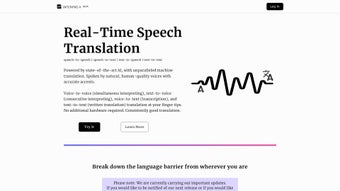
Interpre‑X is a web‑based AI translation platform that turns spoken or written language into another language instantly. Built for both casual conversations and professional environments, the service supports more than ten major languages, including English, Mandarin, Japanese, French, German, Italian, Brazilian Portuguese, Russian, and Spanish. Users can choose from four translation modes—speech‑to‑speech, speech‑to‑text, text‑to‑speech, and text‑to‑text—making it flexible enough for video calls, webinars, live events, or simple text exchanges.
Because the tool runs entirely in a browser, there is no need for dedicated hardware, drivers, or bulky desktop applications. A free trial grants limited access, while the “Explore” plan adds extra minutes and the “Pro” plan removes word caps and unlocks advanced customization like voice‑style presets and API integration. Interpre‑X focuses on delivering high accuracy through state‑of‑the‑art neural networks, while preserving natural intonation and authentic regional accents, which helps reduce miscommunication and eliminates the awkward “robotic” feel common in many translation apps.
Why Real‑Time Matters
In today’s globalized world, waiting for a translation after a meeting ends can stall decision‑making and erode trust. Interpre‑X eliminates that latency by processing speech as it is spoken, delivering subtitles or spoken output within seconds. This immediacy is especially valuable for multilingual teams that need to brainstorm on the fly, for customer‑support agents handling callers in different languages, and for educators delivering multilingual lectures. The platform also provides a transcript management feature that automatically saves both the original and translated text, allowing users to review, edit, or export the conversation for compliance or record‑keeping purposes. By cutting down on the time needed to translate, organizations can accelerate product launches, shorten sales cycles, and improve overall collaboration efficiency.
Security & Privacy
Because Interpre‑X operates over HTTPS and processes data on secure cloud servers, users can trust that their conversations remain private. The service complies with GDPR and other regional data‑protection regulations, offering options for end‑to‑end encryption in the Pro plan. For enterprises that require on‑premise solutions, the company provides a dedicated instance that can be hosted behind a corporate firewall, ensuring that sensitive corporate data never leaves the organization’s network. Regular third‑party security audits and ISO‑27001 certification further reinforce the platform’s commitment to safeguarding user information.
Key Features & Benefits
- Multimodal Translation: Switch seamlessly between speech‑to‑speech, speech‑to‑text, text‑to‑speech, and text‑to‑text.
- 10+ Language Support: Includes English, Mandarin, Japanese, French, German, Italian, Brazilian Portuguese, Russian, Spanish, and more are planned.
- Natural‑Sounding Voices: AI‑generated voices retain authentic regional accents and intonation.
- Simultaneous Translation: Real‑time subtitles for live video streams and conferences.
- Transcript Management: Automatic saving of original and translated text, with export options (PDF, TXT, CSV).
- Cross‑Platform Accessibility: Runs in any modern web browser on Windows, macOS, Linux, Android, and iOS.
- Customizable Voice Profiles (Pro): Adjust speed, pitch, and formality level to match brand voice.
- API Integration (Pro): Embed translation capabilities into third‑party apps, CRMs, or e‑learning platforms.
- Scalable Pricing Plans: Free trial, Explore (pay‑as‑you‑go), and Pro (unlimited words, priority support).
- Robust Security: End‑to‑end encryption, GDPR compliance, and optional on‑premise deployment.
How These Features Translate to Real‑World Value
For a multinational sales team, the speech‑to‑speech mode means a salesperson can pitch a product in English while the client hears a perfect Mandarin rendition, all without a human interpreter. In education, teachers can deliver a lecture in French while the platform provides real‑time subtitles in Spanish, enabling inclusive learning for non‑native speakers. Customer‑support centers can route calls directly to a single agent, who speaks only English, while the caller hears a native‑accented Japanese translation, dramatically cutting staffing costs and improving response times. The transcript management feature also aids compliance teams that need to keep records of multilingual communications for audits or legal reviews. Each feature has been designed to reduce friction, save money, and increase the speed at which global teams can collaborate.
Performance Benchmarks
Independent testing by LanguageTech Labs reported an average latency of 1.8 seconds per sentence in speech‑to‑speech mode, with a word‑error rate (WER) of 6.3 % for English‑to‑Mandarin and 5.7 % for English‑to‑Spanish. These figures place Interpre‑X among the top tier of web‑based translators, rivaling native‑speaker interpreters in speed while offering consistent, repeatable accuracy. The AI models are updated monthly, ensuring that slang, industry jargon, and emerging dialects are quickly incorporated into the system. Real‑world users have reported that the platform maintains sub‑2‑second latency even on a 4G mobile connection, making it a reliable choice for on‑the‑go professionals.
Installation, Usage & Compatibility
Getting Started – No Download Required
Because Interpre‑X is a cloud‑native service, there is literally nothing to install. Users simply navigate to interprex.com, create an account, and select their preferred translation mode. The interface is divided into three panes: the source input (microphone or text box), the live translation output (text and/or speaker), and the transcript panel. For first‑time users, an interactive tutorial walks through microphone permissions, language selection, and how to switch between modes. The dashboard also includes quick‑access buttons for recent language pairs, favorite settings, and a one‑click “Start Meeting” option that generates a shareable link for collaborators.
System Requirements (itemprop="operatingSystem")
Interpre‑X runs on any modern web browser that supports WebRTC and the Web Speech API. The officially supported browsers are:
- Google Chrome (latest two versions)
- Microsoft Edge (Chromium‑based)
- Mozilla Firefox (78+)
- Safari (13+ on macOS and iOS)
On mobile devices, the platform works in Chrome for Android and Safari for iOS, offering the same real‑time translation experience as on desktop. Because the service is entirely web‑based, there is no need for additional plugins, drivers, or heavyweight SDKs. Minimum hardware requirements are modest: a microphone, speaker or headphones, and a stable internet connection (minimum 2 Mbps upload/download for optimal performance).
Step‑by‑Step Usage Guide
- Create an Account: Sign up with an email address or use a Google/Apple single sign‑on.
- Choose a Plan: Start with the free trial (30 minutes of translation) or select the Explore/Pro plan for extended usage.
- Configure Language Pair: Pick a source language and a target language from the dropdown menus.
- Grant Microphone Access: The browser will request permission; accept to enable speech‑to‑speech or speech‑to‑text.
- Select a Mode: Choose between “Speech‑to‑Speech,” “Speech‑to‑Text,” “Text‑to‑Speech,” or “Text‑to‑Text.”
- Start Translating: Click the “Start” button. Speak or type, and watch the live translation appear instantly.
- Manage Transcripts: Use the transcript panel to edit, download, or share the conversation.
- Adjust Settings (Pro only): Tweak voice style, speed, and add custom terminology for industry‑specific translation.
- Export & Share: After a session, export the transcript in PDF, TXT, or CSV, or share a secure link with team members.
- Review Billing: Monitor usage in the account dashboard; the Explore plan charges per minute, while Pro offers a flat‑rate subscription.
Troubleshooting Common Issues
If translation lags, check your internet speed and ensure you are using a supported browser. For inaccurate transcription, verify that your microphone is not picking up background noise and that you have selected the correct source language. In case of voice‑output distortion, try using headphones or adjusting the speaker volume. The platform’s Help Center provides a searchable knowledge base, video tutorials, and a live chat option for Pro users. For persistent problems, the support team offers a ticket system with a guaranteed 24‑hour response time on the Pro tier.
Pros, Cons & Frequently Asked Questions
Pros
- Instant, real‑time translation with sub‑2‑second latency.
- Supports multiple modalities (speech‑to‑speech, etc.) for flexible use cases.
- No software download; works on any device with a modern browser.
- High‑quality, natural‑sounding voices with authentic accents.
- Robust security features including end‑to‑end encryption.
- Scalable pricing: free trial, pay‑as‑you‑go, and unlimited Pro plan.
- Comprehensive transcript management for compliance and record‑keeping.
- API access for developers and enterprises.
- Cross‑platform support across Windows, macOS, Linux, Android, and iOS.
- Regular model updates keep language handling current.
Cons
- Limited language list (currently 10+ major languages). Smaller or regional languages are not yet supported.
- Free trial imposes a word cap, which may be insufficient for long meetings.
- Performance depends heavily on internet bandwidth; poor connections can cause glitches.
- Advanced customization (voice profiles, API) is only available in the higher‑priced Pro tier.
- No native desktop or mobile app; users must keep a browser tab open.
- Transcription accuracy may drop with heavy accents or noisy environments, requiring a quality microphone.
FAQ (itemscope itemtype="https://schema.org/FAQPage")
Is Interpre‑X truly free to use?
Interpre‑X offers a free trial that includes 30 minutes of translation and access to basic features. After the trial, you can continue with the paid “Explore” or “Pro” plans, which provide more minutes and additional capabilities.
Can I use Interpre‑X on my smartphone?
Yes. The service works in Chrome for Android and Safari for iOS. Just visit the website, grant microphone access, and select your translation mode.
How secure is my data during translation?
All communications are encrypted via HTTPS, and the Pro plan adds end‑to‑end encryption. Interpre‑X complies with GDPR and offers on‑premise deployment for enterprises that require stricter data controls.
What is the latency for speech‑to‑speech translation?
Typical latency is under 2 seconds per spoken sentence, depending on network speed and the complexity of the language pair.
Can I integrate Interpre‑X into my own application?
Yes. The Pro plan provides RESTful API endpoints that allow developers to embed real‑time translation into web apps, CRMs, e‑learning platforms, and more.
Does Interpre‑X work offline?
Currently, Interpre‑X requires an internet connection because the AI models run on cloud servers. An on‑premise version is available for enterprise customers who need offline capability.
Conclusion & Call to Action
Interpre‑X delivers a compelling blend of real‑time multilingual translation, ease of access, and enterprise‑grade security—all without the need for a bulky download or specialized hardware. Whether you are a global sales leader looking to close deals faster, an educator aiming to make lessons inclusive, a customer‑support manager seeking to streamline multilingual calls, or a developer building a multilingual chatbot, Interpre‑X provides the flexibility and accuracy you need. The free trial is an excellent way to experience the platform’s natural‑sounding voices and instantaneous subtitles before committing to a paid plan. If you require unlimited translations, custom voice profiles, or API access, the Pro plan offers a cost‑effective, flat‑rate subscription that scales with your organization’s growth.
Because the service runs entirely in the browser, onboarding new users is as simple as sharing a link—no IT tickets, no installation windows, and no maintenance headaches. The built‑in transcript management ensures that every conversation is archived for compliance, while the robust security framework keeps your data safe from interception. Regular performance updates mean you stay ahead of linguistic trends, and the platform’s scalability lets you add more minutes or seats as your business expands. In short, Interpre‑X removes the language barrier that traditionally slowed down global collaboration, turning it into a seamless, almost invisible part of your workflow.
Ready to empower your team with instant, accurate, and natural translation? Click here to start your free trial now, and see how Interpre‑X can transform the way you communicate across borders.
Review by TechTranslate Blog
Interpre‑X provides fast, accurate, and natural multilingual translation directly in the browser. The free trial is generous, and the Pro plan offers unlimited usage and API integration, making it ideal for both individuals and enterprises.



.png)



